Orders and statuses
The work order from "New" to "Closed", cancellation, services in the order and who can do what.
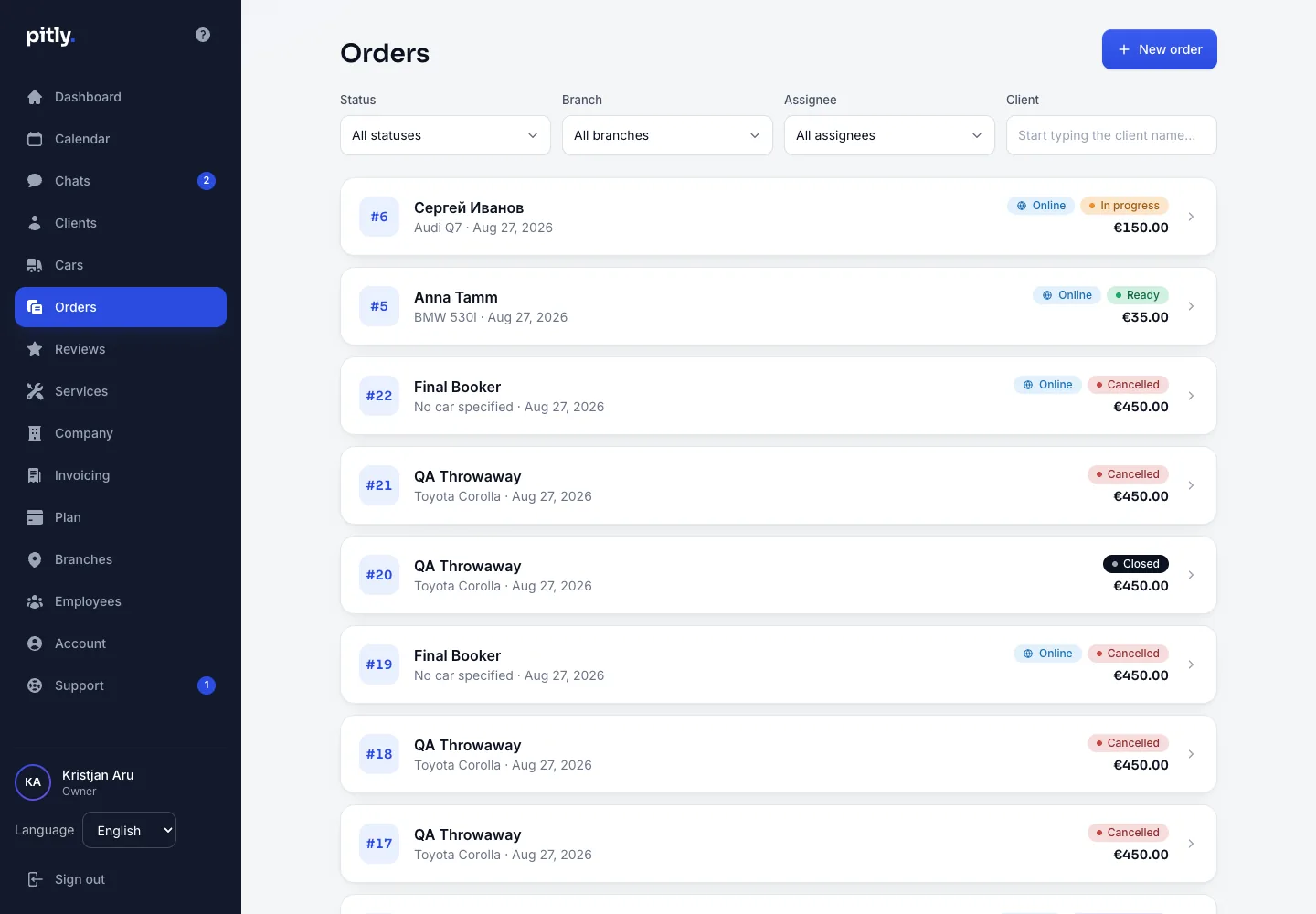
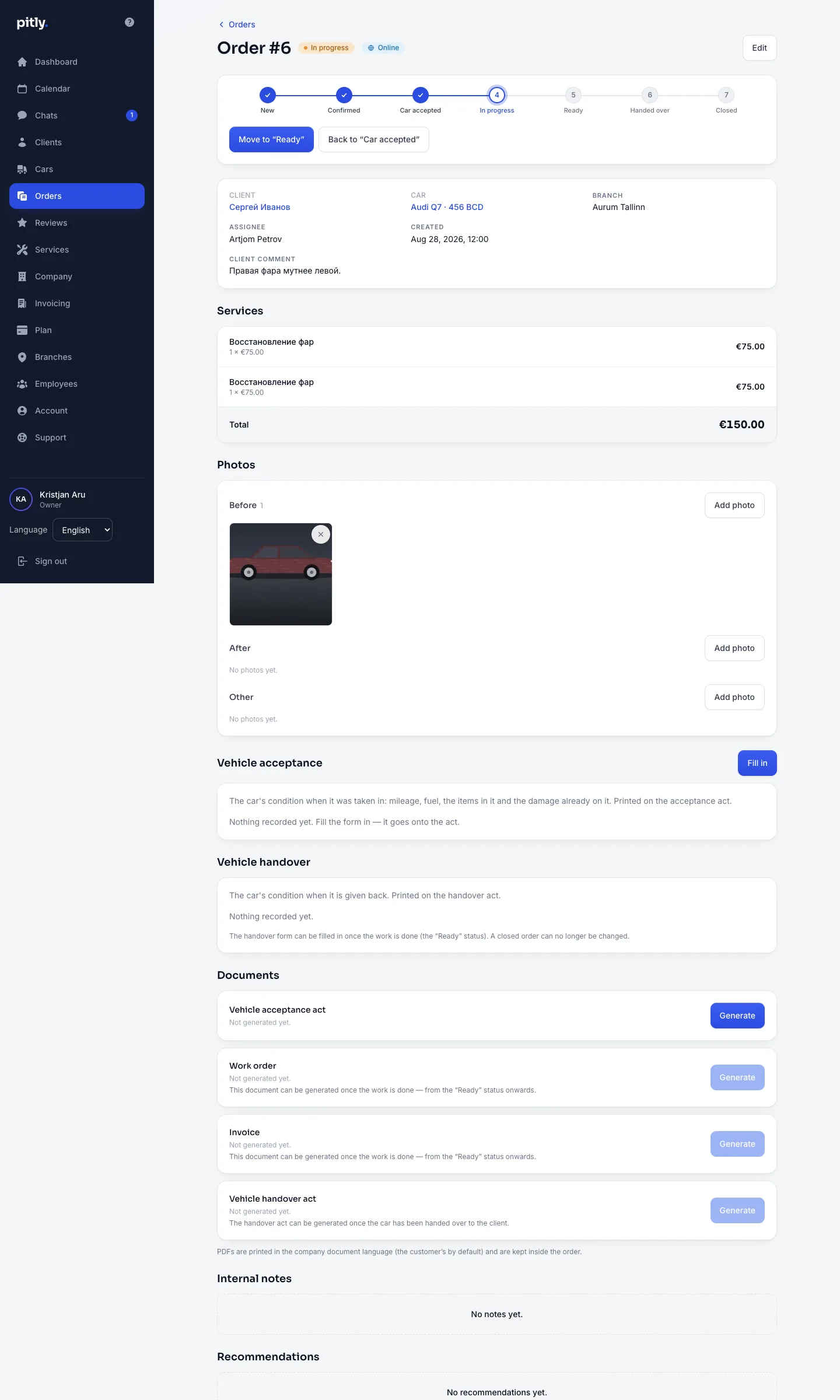
The work order is the main document of a job. It holds the client, the car, the branch, the assignee, services with prices, photos, the acceptance and handover forms, PDF documents and recommendations.
Creating an order
Press "New order", choose the client and the car (or none — attach it later), the branch and the assignee, add services. Online bookings create orders on their own, straight in the "Confirmed" status.
Statuses
An order walks through seven steps, shown as a bar in the order card:
- New
- Confirmed
- Car accepted — from here the acceptance form can be filled in and the acceptance act issued.
- In progress
- Ready — the work order and the invoice PDFs and the handover form become available.
- Handed over — the handover act can be issued.
- Closed — the order becomes read-only; the client receives an e-mail inviting them to leave a review.
The "Move to …" button takes the next step. Next to it is "Back to …": the status rolls back one step, behind a confirmation that names both statuses. It undoes the step, not the order.
There is no rollback out of "Closed" or "Cancelled": closing already wrote the job into the car history and sent the customer letters, and a status flag cannot take those back. Whoever was allowed to take a step may undo it: a master undoes their own "Car accepted", "In progress" and "Ready"; a hand-over is rolled back by a manager.
Cancelled order
The separate "Cancelled" status is available only from "New" and "Confirmed" (manager and owner). From "Car accepted" onwards there is no cancellation — the work has started. A cancelled order does not count as active, writes no car history and sends no e-mails. Cancelling an online booking cancels its order automatically.
Services in the order
Order lines are services from your price list with a quantity; the total is computed. The name and the price are remembered as they were when the line was added: a price rise does not rewrite old orders.
The "One-off line" button adds a job that is not in the price list: its name, price, duration and quantity are typed into the order and live only there. It is meant for individual jobs — work you sell a second time belongs in the price list, where it keeps one price for everybody.
If a service is later deleted from the price list, its line stays in old orders and opens for editing as a one-off — with the same name, price and duration it was written with.
Who can do what
- Owner and manager — see all orders, create, edit, cancel.
- Master — sees only orders where they are the assignee ("My orders"), changes the status, adds photos, comments and recommendations.