Car history
The car's timeline: completed work, notes, recommendations and what the client sees of it.
Every car has a history — a timeline in the car card. It is built automatically from closed orders and extended by hand.
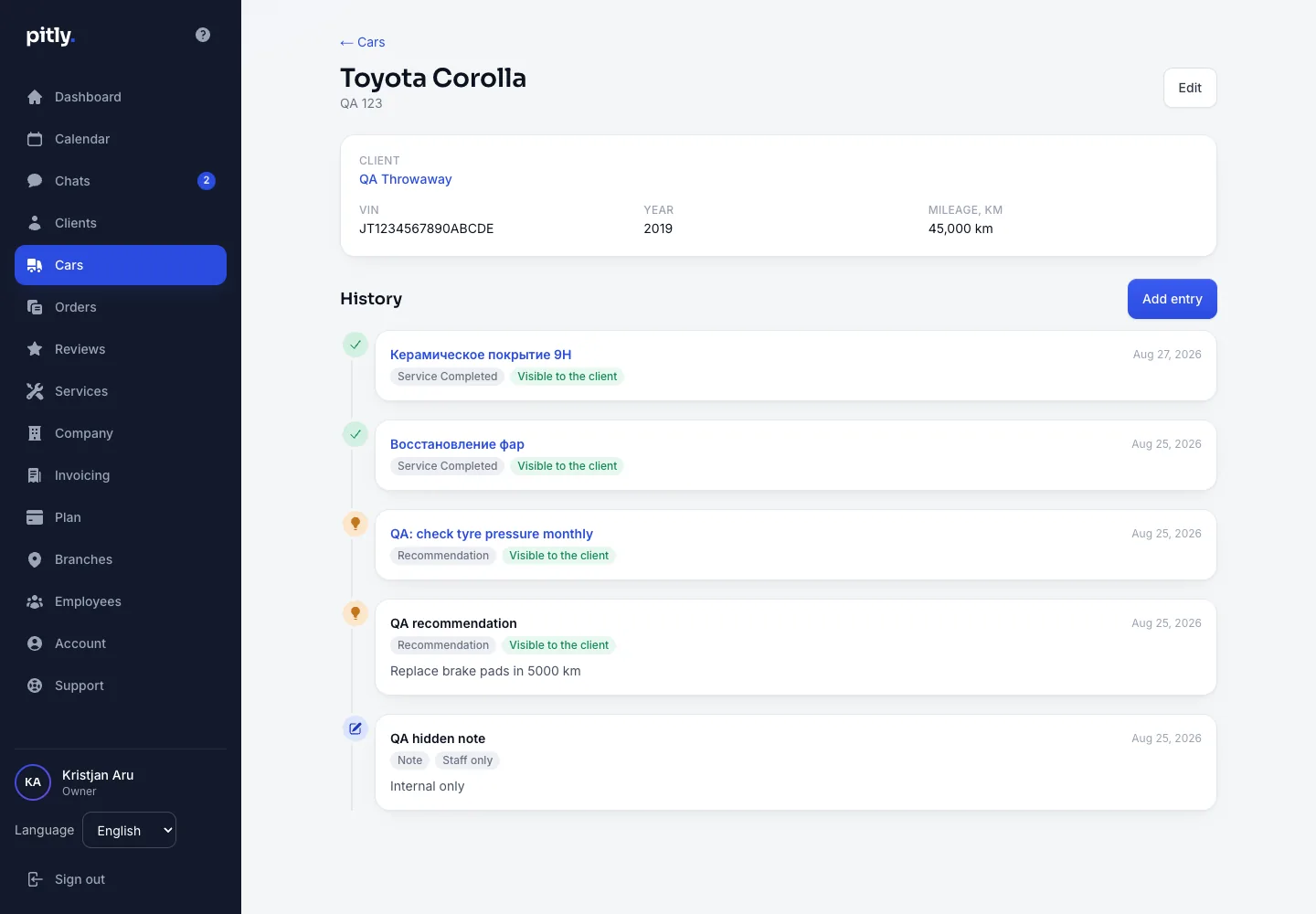
What goes into the history
- Service completed — written automatically when an order is closed: date, services, assignee. Cancelled orders write nothing.
- Recommendation — "renew the ceramic coating in 6 months", "change the oil in 8,000 km". Added by a master or manager in the order or right in the history.
- Note — the shop's internal record.
Adding an entry by hand
- In the car card press "Add entry".
- Choose the type, date, title and description.
- Tick "The car's owner sees this entry" if the client should see it. By default a note stays inside the shop, completed work and recommendations are shown.
- Save. History entries cannot be edited — check the text before saving.
Every entry is marked "Visible to the client" or "Staff only". The client reads visible entries verbatim in their account — under "History" and "Recommendations".