PDF documents
Work order, invoice, acceptance and handover acts: when they are issued, in which language and where they are kept.
Four PDF documents are issued from an order. They are kept inside the order — the client sees them in their account.
The document language
Settings → "Company" → the "Documents" block → "Document language". It is normally the official language of the country the company files in: work orders, invoices and acts are filed and read by an accountant, not by the customer.
The "The customer's language" option keeps the older behaviour: every document is printed in the communication language of the customer it was issued for. That suits a shop that hands the paper to the person in front of it.
| Document | Available from status |
|---|---|
| Vehicle acceptance act | Car accepted |
| Work order | Ready |
| Invoice | Ready |
| Vehicle handover act | Handed over |
Issuing
- Open the order and scroll to the "Documents" block.
- Press "Generate" next to the document. A "Download" link appears together with who issued it.
- If the order changed after issuing (a service added, the total changed), the document is marked "Out of date" — press "Generate again" before handing it to the client.
Invoice details
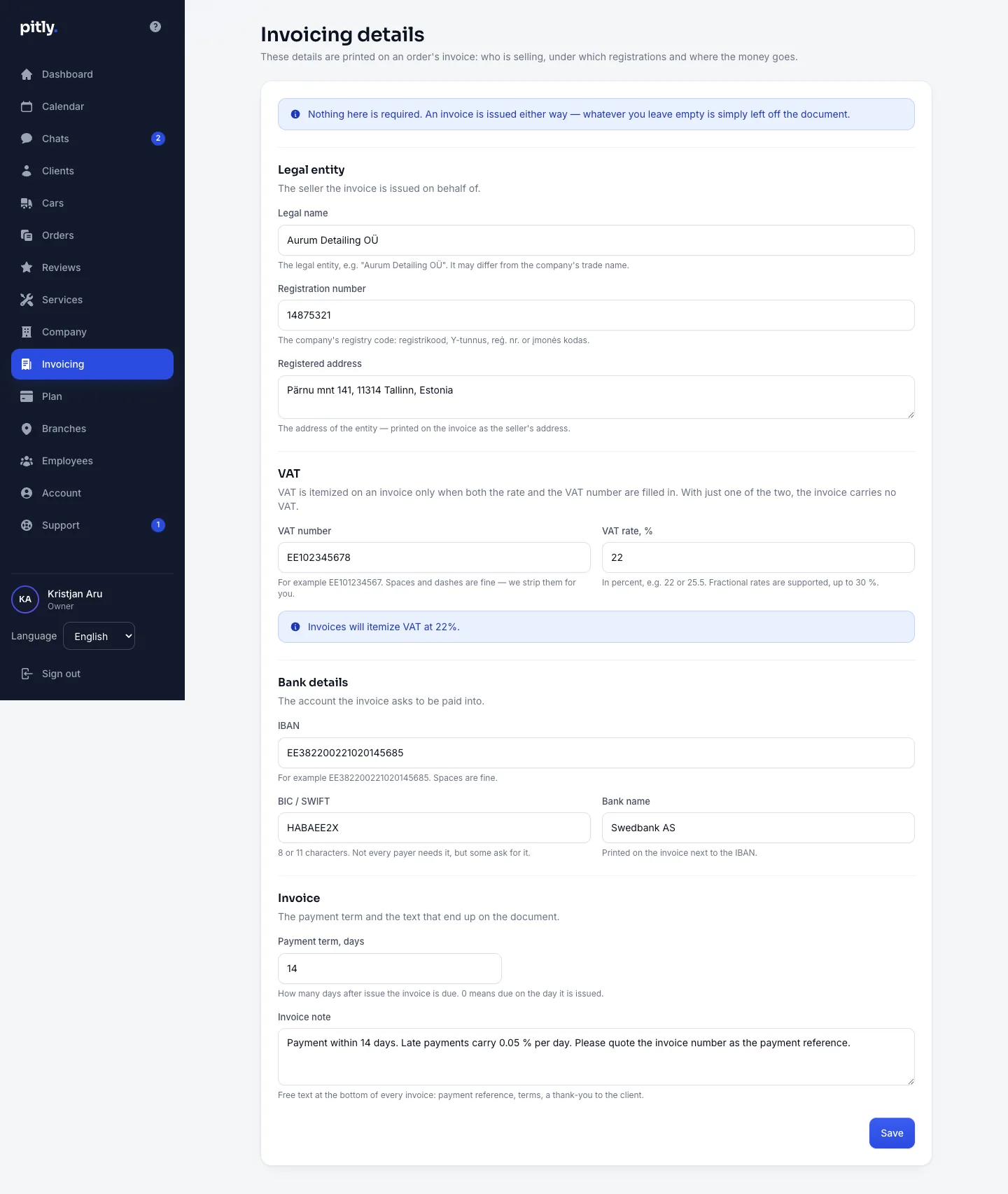
The invoice and the work order print the company details from the "Invoicing" section: legal name, registration and VAT numbers, address, bank details. Fill them in before the first invoice.
Acceptance and handover acts
The acts are a company setting: the "Generate vehicle acceptance and handover acts" checkbox in the "Company" section. With it the order gets the vehicle condition forms (mileage, fuel, completeness, damage) and the two acts. "Warranty terms" set there are printed in the handover act.