Public page and catalogue
The company page on Pitly: address, languages, what it contains and how to get into the catalogue.
Every company has a public page like pitly.eu/name — its address is set in the "Public page address" field of the "Company" section. The link belongs in social media profiles and on maps.
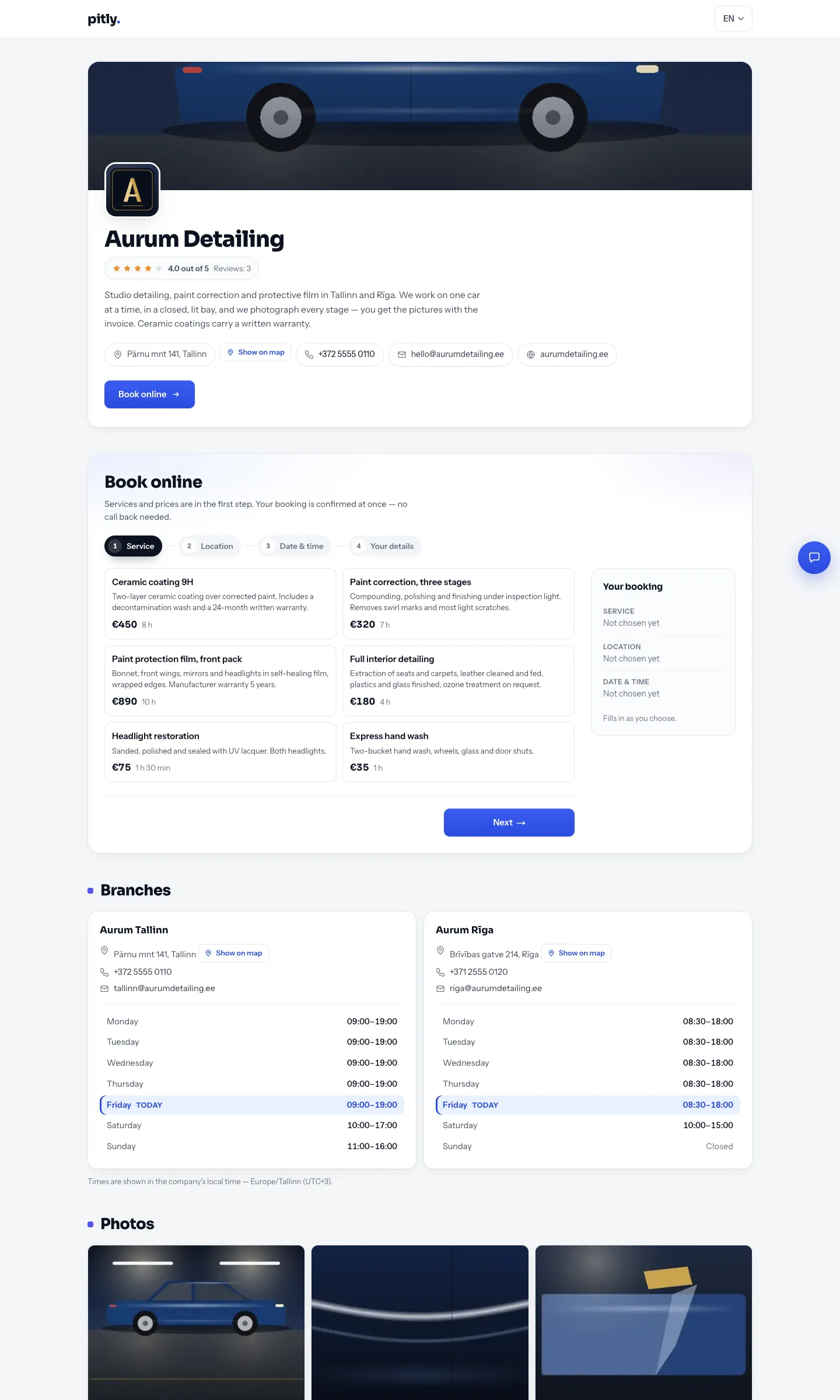
What is on the page
Top to bottom, in the order a visitor asks the questions:
- The header — logo, cover (the first photo), name, rating, description, contacts and the "Book online" button. The button sits under the contacts, where the reader has just finished finding out who you are.
- Online booking, step by step. The price list is inside it: the first step is the service cards with description, price and duration, and choosing a price is the answer to the first question. There is no separate "Services and prices" section any more.
- Branches — the address, contacts and working hours of each. Above the photographs: "can I get there" is decided before "do I like the work".
- Photographs — what a car owner judges a workshop on.
- Reviews with the average rating — the same ones as in the dashboard. Directly under the pictures, where somebody looks who liked the work but has not decided yet.
- Chat with the company — the button in the bottom-right corner.
There is no language switch next to the company name any more: languages are switched in the site header, on every page, and a list of published languages told nothing to a person choosing a car wash.
A branch address is printed the way the post office of the country it stands in writes it: "Pärnu mnt 141, Tallinn", on the Russian version of the page too. Half a line translated into the reader's language is an address no map can find. Next to it is the "Show on map" button, which opens maps in a new tab.
Languages
In the "Company" section choose the public page languages and the default language. A visitor sees the page in their language if it is in the list; otherwise in the default language with a notice. Service names and descriptions are translated in the service cards — see Services.
The service catalogue
The catalogue at pitly.eu/catalog lists every company on Pitly with filters by country, city, category and rating. A company card in the catalogue shows the cover, description, rating, categories and a booking button.
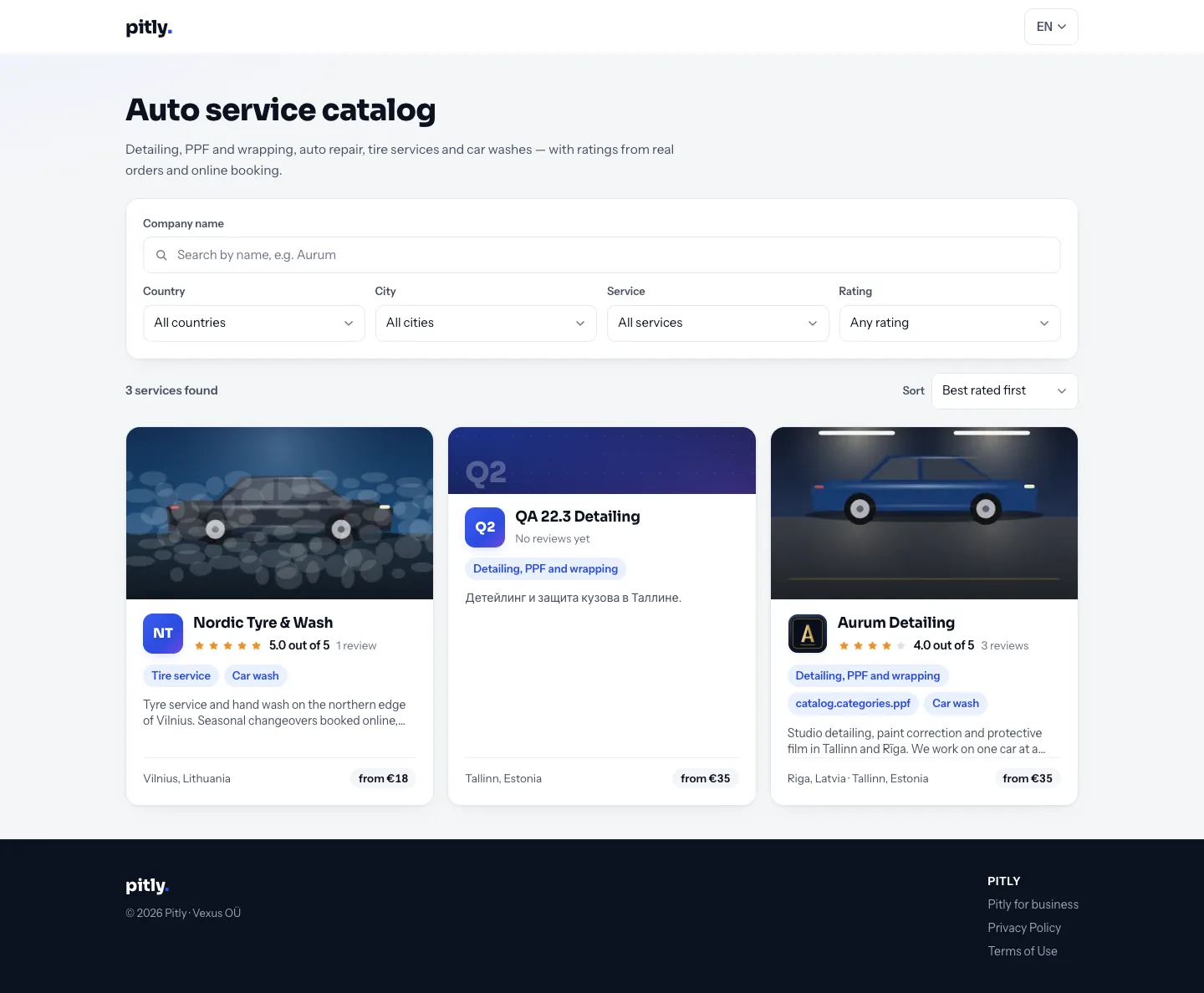
A catalogue card opens the company page in a new tab: the list with its filters stays behind, and there is no need to find the way back to it with the browser's back button.
For a company to be found in the catalogue: an active subscription or trial, at least one active service, a branch address (country and city come from it) and ticked categories.