Exporting a client's data
A copy of everything about a client on a GDPR request: full and "for the client", in one JSON file.
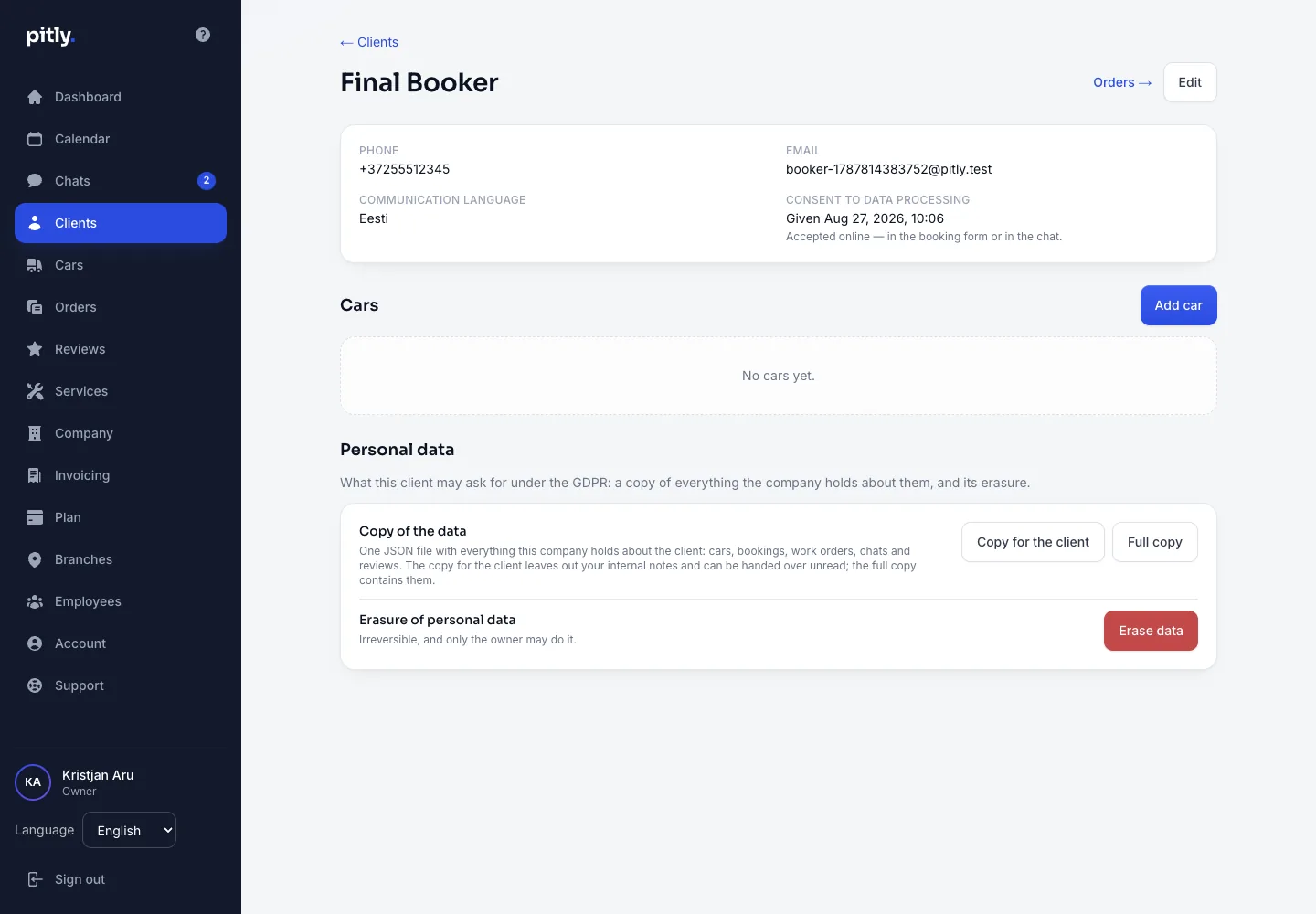
Under GDPR a client may receive a copy of every piece of data the company keeps about them. In Pitly that is one button in the client card.
How to export
- Open the client card, the "Personal data" block.
- Press one of the buttons:
- "Copy for the client" — everything the company keeps about them: cars, bookings, work orders, chat and reviews, without your internal notes. It can be handed over unread.
- "Full copy" — the same plus the internal notes; for the company's own needs.
- One JSON file downloads. Pass it to the client the way they asked.
Consent
The same block shows when the client gave consent: "Given …" — if they booked online or wrote in the chat; "Not recorded online" — if an employee created the client and the consent was obtained at the desk and kept outside Pitly.
Other data
- Documents (PDFs) the client downloads from their account.
- Company data stays readable and exportable even with an inactive subscription.